
Your offline music, beautifully played.
GUL Music Player plays the songs already on your Android phone, with a clean, modern design. It works fully offline: no account, no internet and no tracking.
Everything a music player should be
Fast, beautiful and simple. Made for the music you already own.
Your whole library
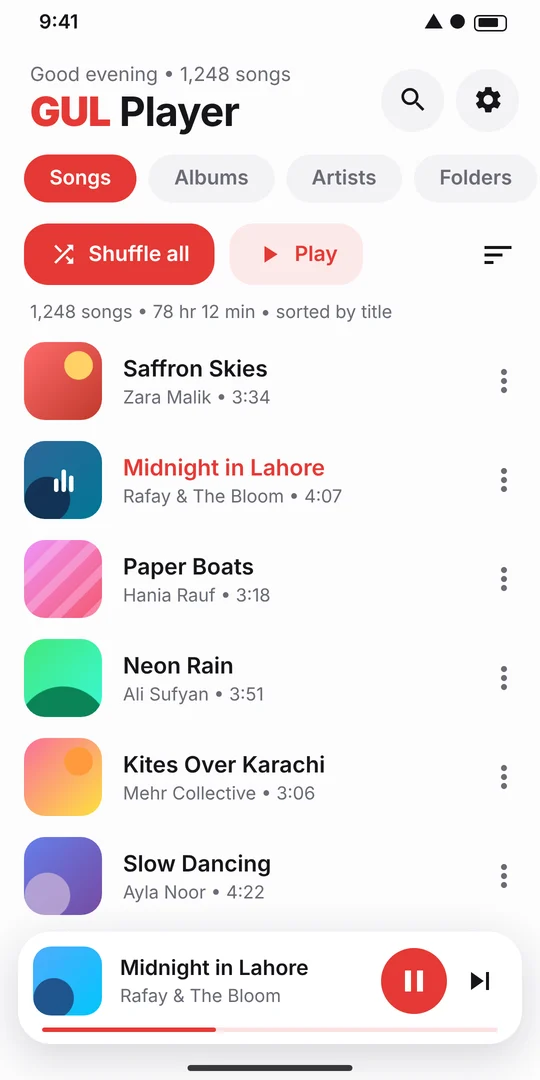
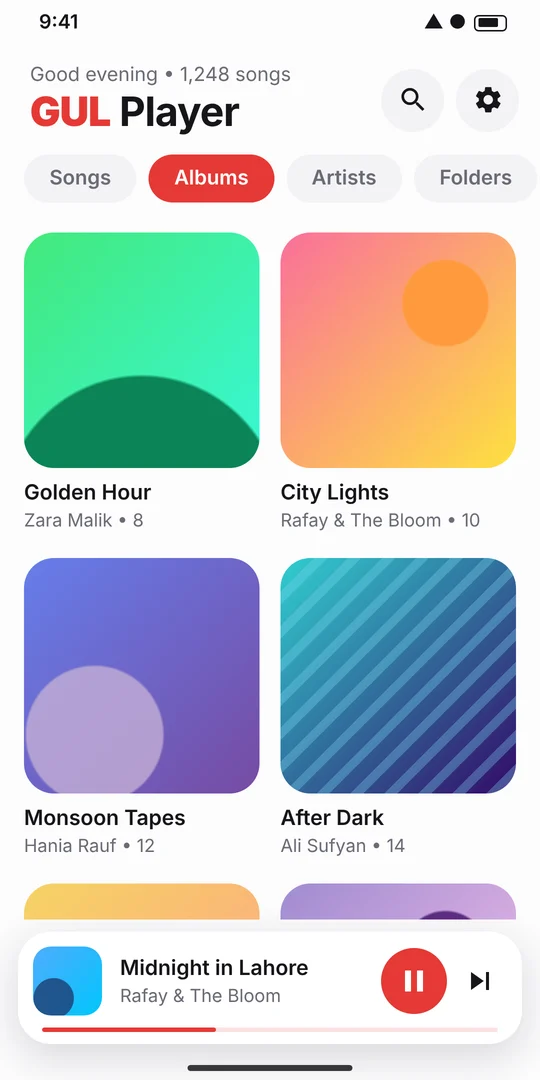
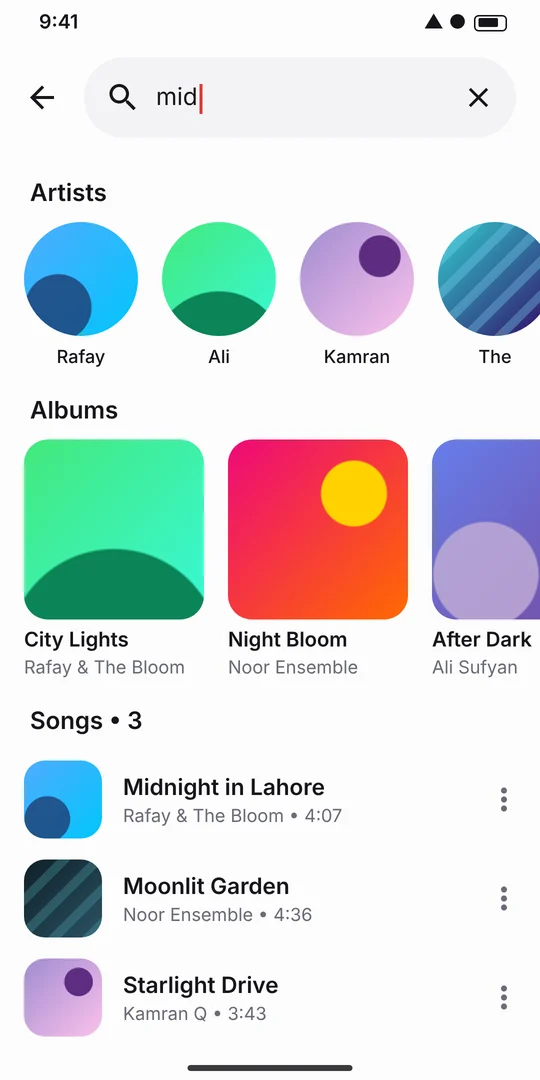
Songs, albums, artists and folders, with album artwork throughout. New music appears automatically.
Background playback
Keep listening with the screen off. Control music from the notification, the lock screen, headphones or Bluetooth.
Playlists & favourites
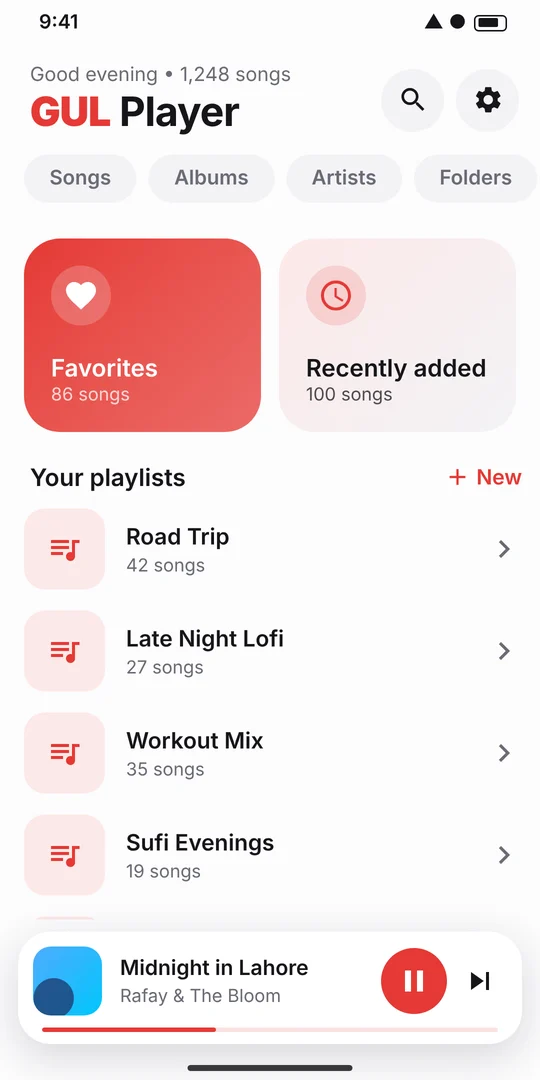
Unlimited playlists, a Favourites list with one tap on the heart, and a Recently added list.
Shuffle, repeat & queue
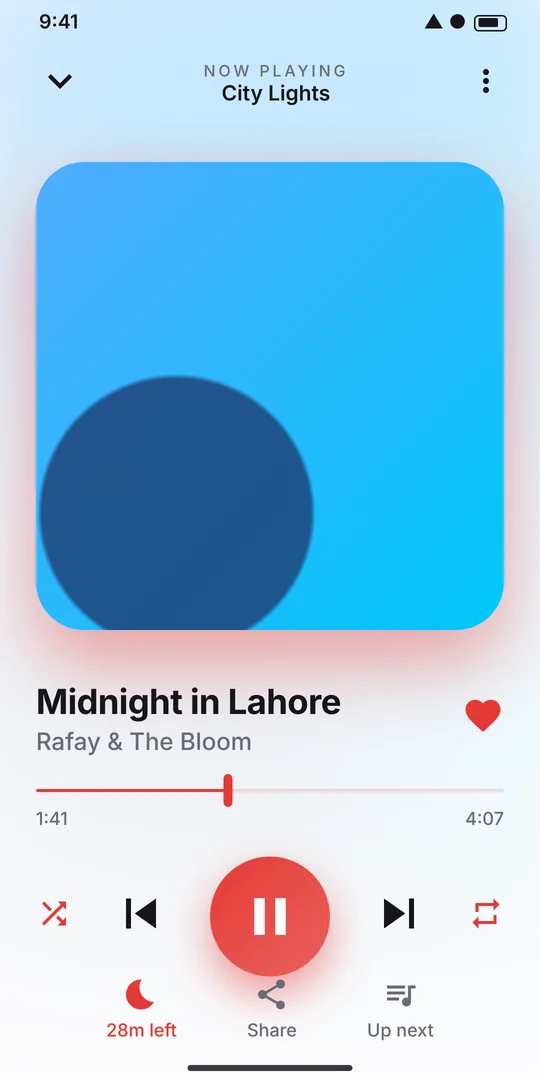
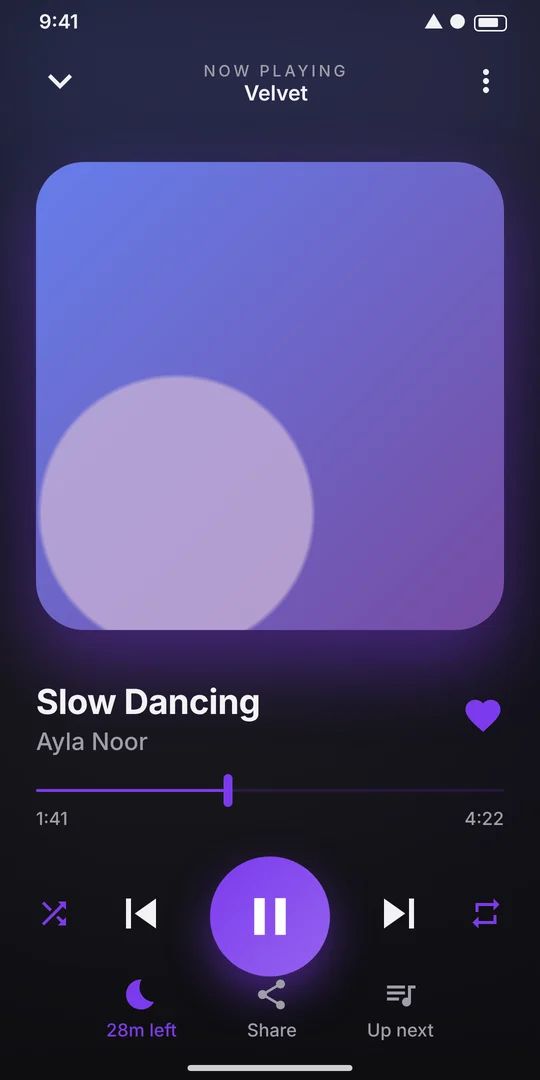
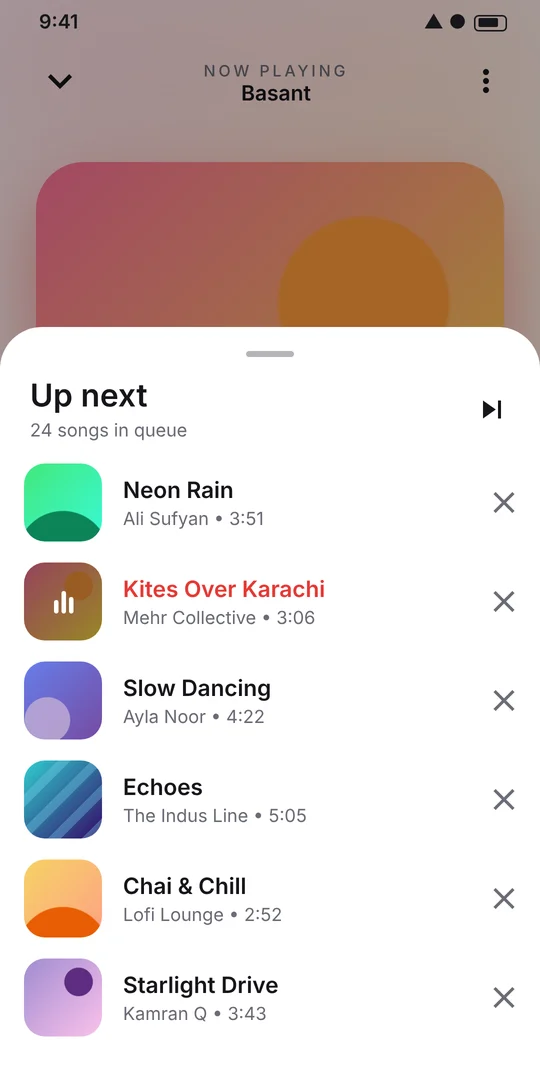
Play next, add to queue, repeat one or all. You can also swipe the artwork to skip a song.
Sleep timer
Fall asleep to your favourite songs. Music pauses by itself after the time you choose.
Hide the clutter
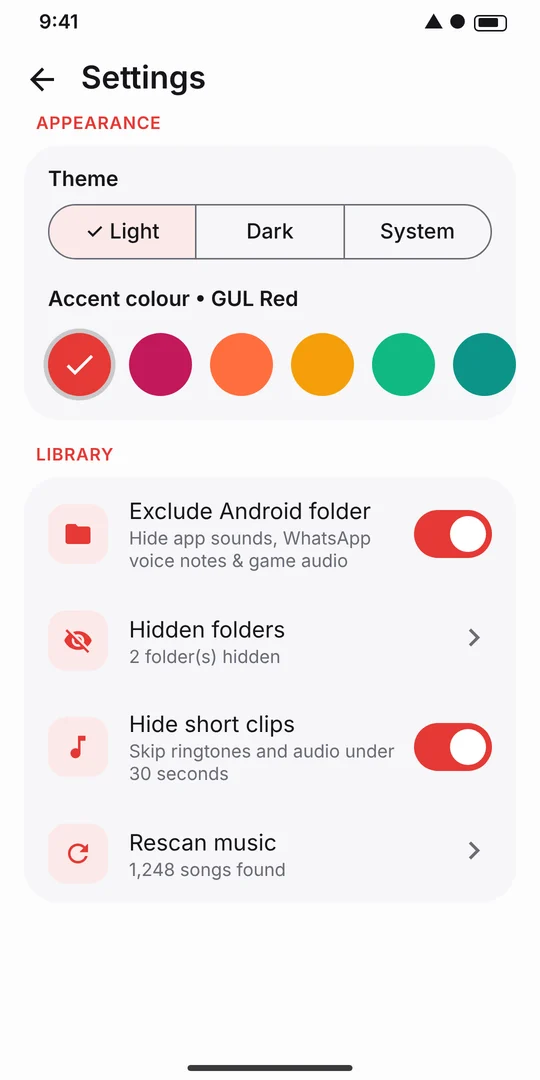
Exclude the Android folder, ringtones, voice notes or any folder you don't want in your library.
Make it yours
Light, dark or system theme, with 9 accent colours, from GUL Red to Ocean Blue.
Private by design
No account and no ads. The app has no internet access, so nothing ever leaves your phone.
See it in action
Clean white design by default, with a gorgeous dark mode when you want it.
Your music stays yours
GUL Music Player is built to be private. It reads the audio files on your phone so it can play them, and nothing more.
- No data collected or shared. No analytics, no ads, no third-party tracking.
- No internet access. The app doesn't request the internet permission.
- No account. Your playlists and settings are stored only on your device.
Small app, big sound
Plays MP3, AAC, M4A, FLAC, OGG, WAV and other formats your phone supports, on Android 8.0 and newer.
Questions & answers
Does GUL Music Player need the internet?
No. It plays audio files stored on your phone and works completely offline. It does not stream or download music.
Why does the app ask for "Music and audio" permission?
Android requires this permission so the app can find and play the audio files on your device. Files are read on your phone and never uploaded anywhere.
Why does it ask to show notifications?
So you can control playback (play, pause, skip) from the notification shade and lock screen while the app is in the background. It does not send promotional notifications.
Some songs are missing. What can I do?
Open Settings and check "Hide short clips", "Exclude Android folder" and "Hidden folders". Then tap "Rescan music". Files must be stored on your phone or SD card in a format Android supports.
I see WhatsApp voice notes and ringtones in my library
Turn on Settings › Exclude Android folder. You can also hide any folder from the Folders tab using the ⋮ menu.
Will I lose my playlists if I uninstall?
Yes. Playlists, favourites and settings are stored only on your device, so uninstalling or clearing app data removes them. Your music files are never deleted.
Is it really free?
Yes. GUL Music Player is free, with no ads and no in-app purchases.